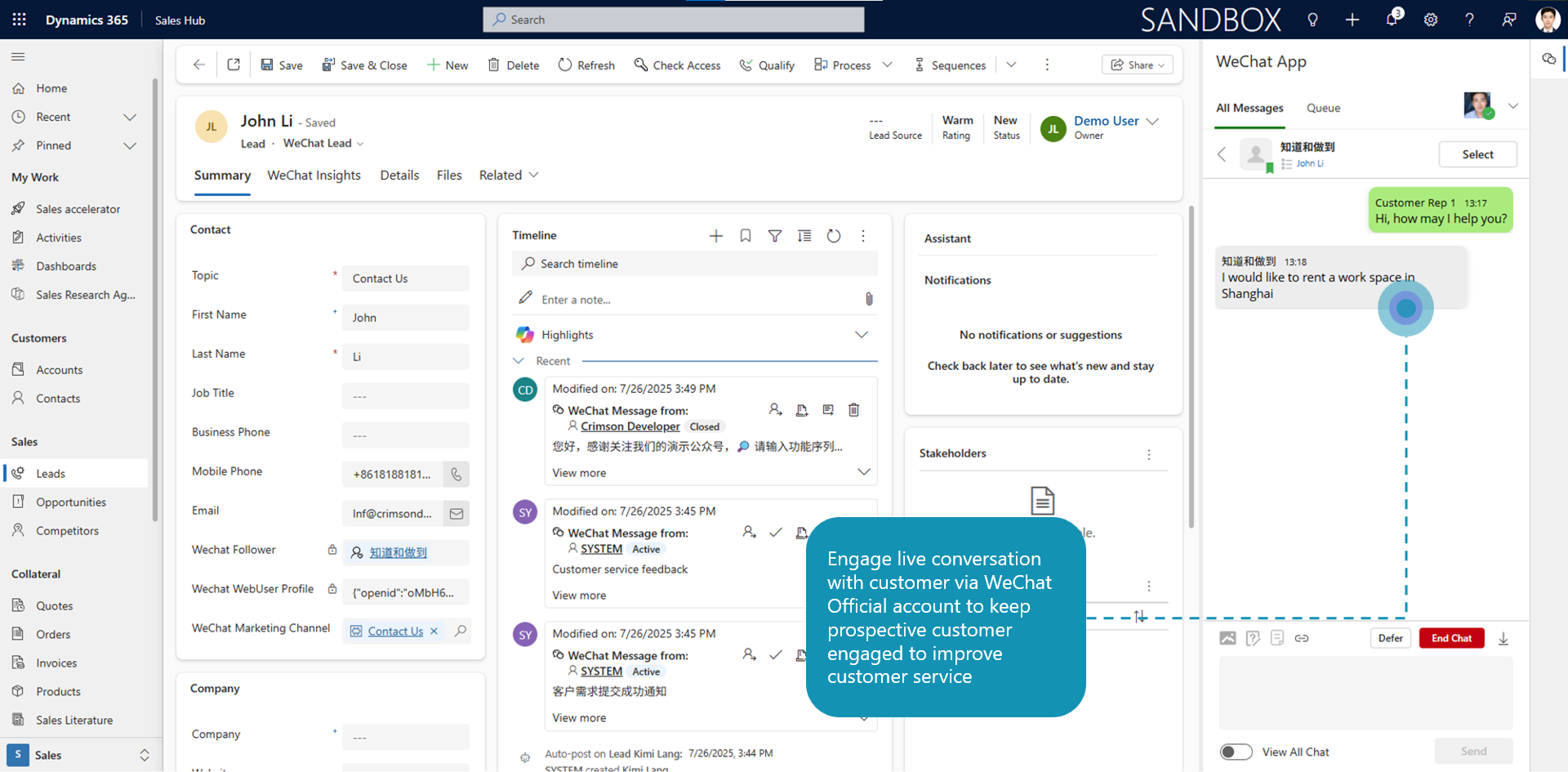
Customer Service Chat – Allow CS users to engage with customers via chat dialog embedded in Dynamics 365.
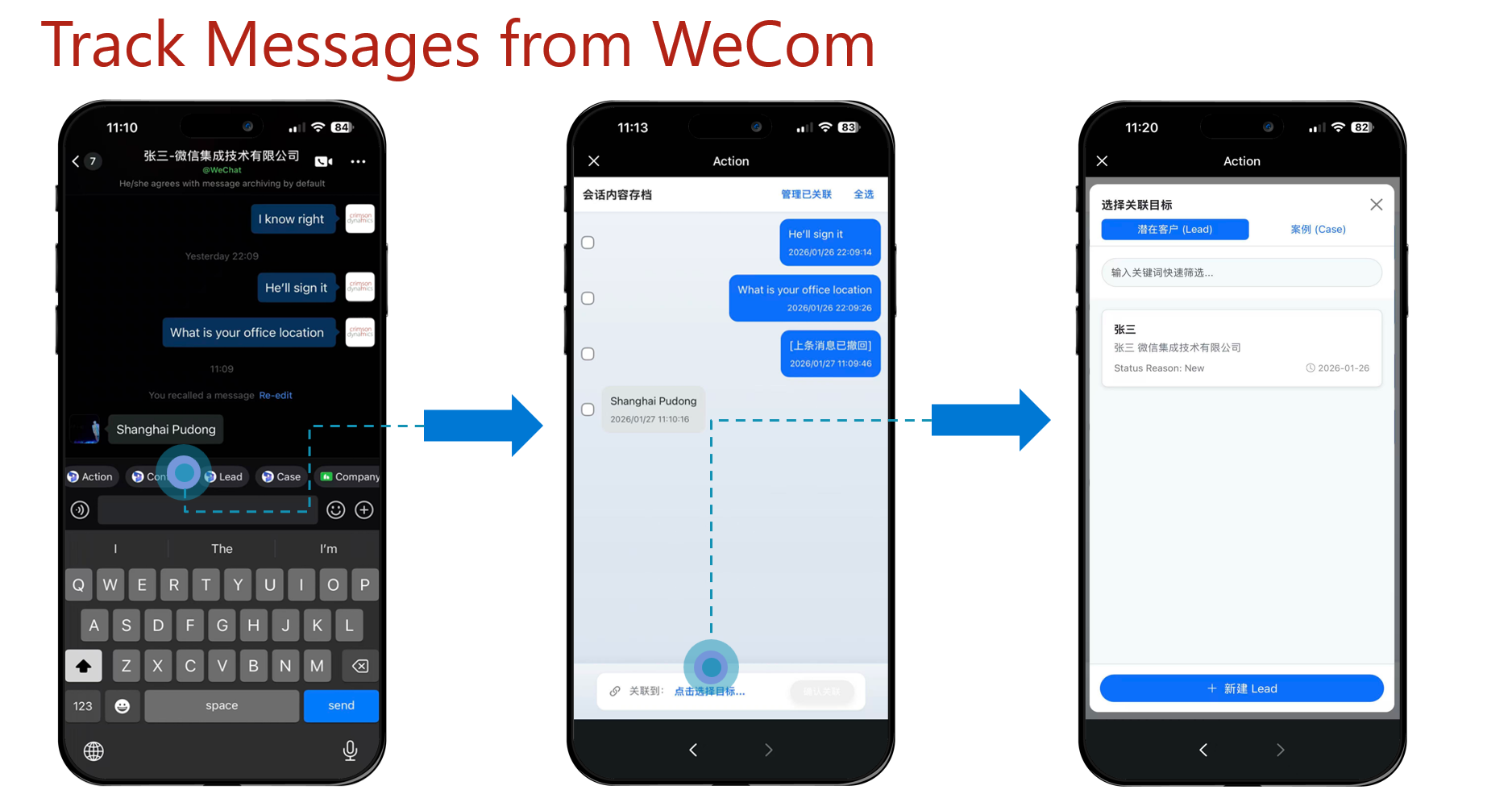
Engagement via WeCom app – Allow CS users to engage with customers whom they have added as WeCom contact.
| Traditional Customer Service Chat | WeCom Contact Engagement | |
| How do customers start a conversation? | Customers initiate the conversation via WeChat Official Account, Mini Program, or customer service entry point | Customers and employees add each other as WeCom contacts (friends) |
| Is adding a contact required? | ❌ No. Customers do not need to add a friend | ✅ Yes. Customers must add an employee as a WeCom contact |
| Primary use cases | Initial inquiries, general support, high‑volume customer service | Relationship management, sales follow‑ups, long‑term customer engagement |
| Conversation channel for employees | CRM embedded customer service chat window only | WeCom mobile app, WeCom desktop app, with ability to access conversation history in CRM |
| Supports CRM context during chat | ✅ Yes. Agents can view customer records while chatting | ✅ Yes. Sales and service staff can access customer data in CRM from WeCom App |
| Track conversation against lead/case? | ✅ Yes. Agents can create new lead/case and track conversation against lead/case from the embedded chat panel directly in Dynamics 365 |
✅ Yes. Agents can create new lead/case and track conversation against lead/case within WeCom mobile/desktop app. |
| Conversation routing & assignment | ✅ Supported. New chats can be automatically routed to teams or agents | ❌ Not automatic. Conversations are typically owner‑based |
| Can employees proactively message customers? | ❌ No. Only replies are allowed after customer initiates the chat | ✅ Yes. Employees can proactively reach out after becoming contacts |
| Conversation time limitations | ⏱️ Limited. Replies usually allowed only within a 48‑hour window, with message limits | ✅ No fixed time limitation once contact is established |
| Message volume limitations | 🚫 Restricted. Outbound messages may be capped | ✅ No practical daily message limits (subject to compliance rules) |
| Access via WeCom App | ❌ Not supported. Messages cannot be sent or received in WeCom app | ✅ Fully supported via WeCom mobile and desktop applications |
| Best suited for | High‑efficiency, transactional customer support | Personalized service, sales engagement, and customer retention |
