Synchronise WeCom external contacts
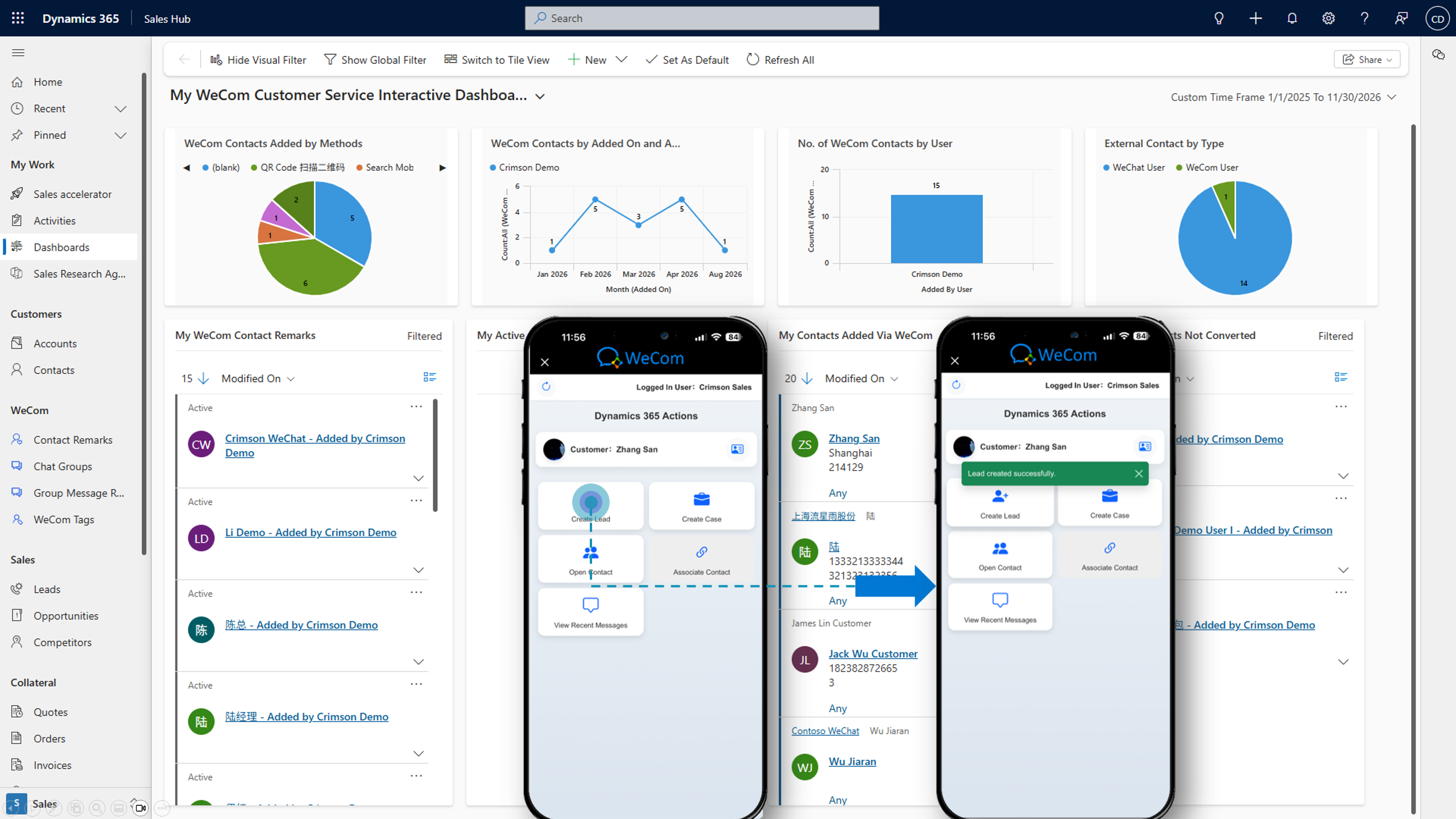
Sync supported WeCom customer details, remarks and tags to Dynamics 365, and associate external contacts with CRM leads or contacts.
Bring WeCom external contacts, one-to-one conversations and customer relationship context into Microsoft Dynamics 365 Sales and Customer Service. Help your teams turn everyday interactions into connected CRM activity.
Built for relationship-driven teams. Customer data stays in your organisation's Dynamics 365 / Dataverse environment.
Link WeCom customers to leads and contacts in CRM.
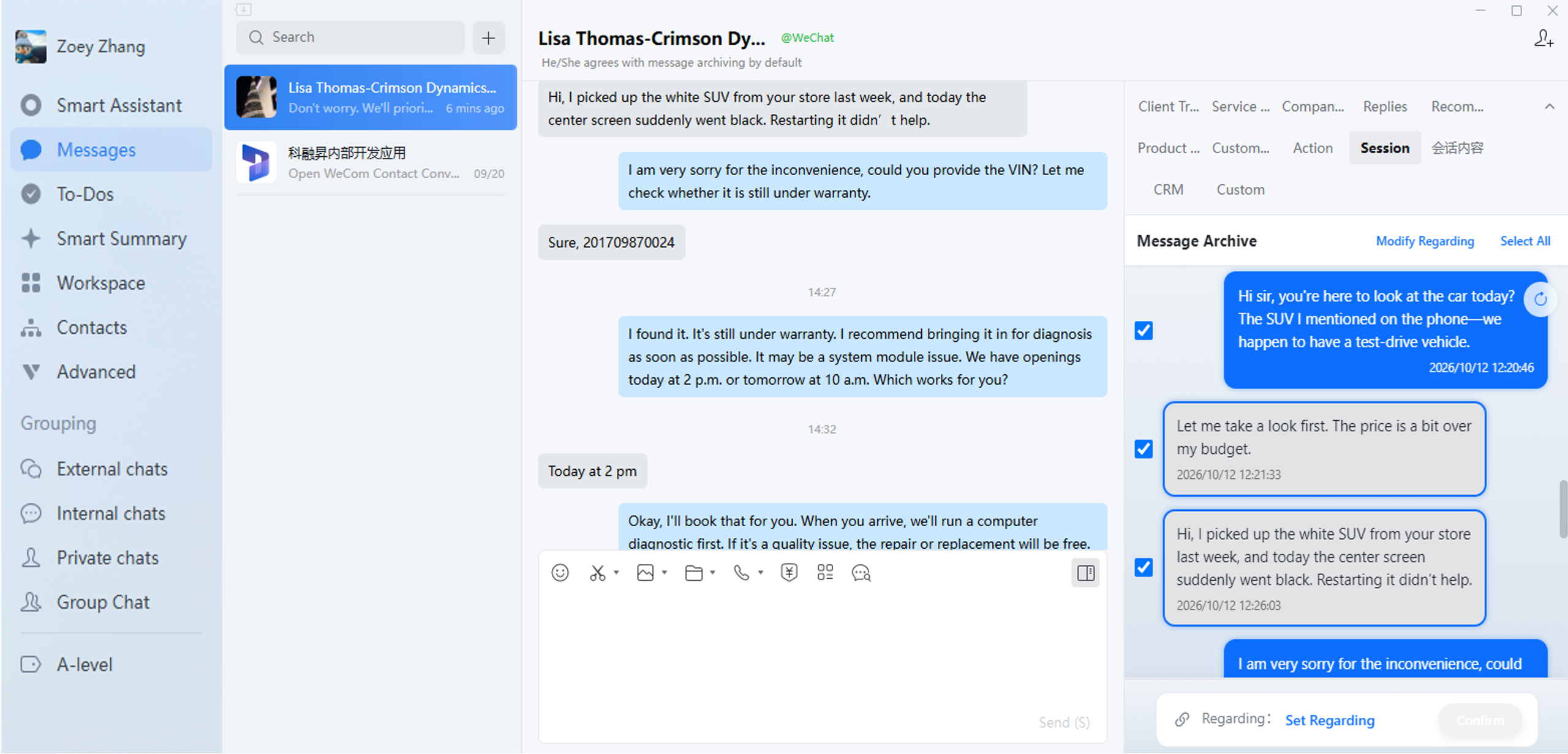
Synchronise eligible messages with WeCom archiving.
Turn conversations into qualified leads and follow-ups.
For many teams in China, business conversations start and develop through WeChat and WeCom, while pipeline and customer management happen in Dynamics 365.
Crimson Dynamics brings these worlds together, giving sales and service professionals a clearer view of who they are speaking to, what was discussed, and what needs to happen next.
Make WeCom engagement part of your existing Dynamics 365 sales, account management and customer service workflows.
Sync supported WeCom customer details, remarks and tags to Dynamics 365, and associate external contacts with CRM leads or contacts.
Bring eligible one-to-one messages into CRM when the Tencent WeCom Message Archiving service is licensed, enabled and authorised.
Convert new customer connections into CRM leads, associate existing customers, and record the conversation against relevant opportunities or activities.
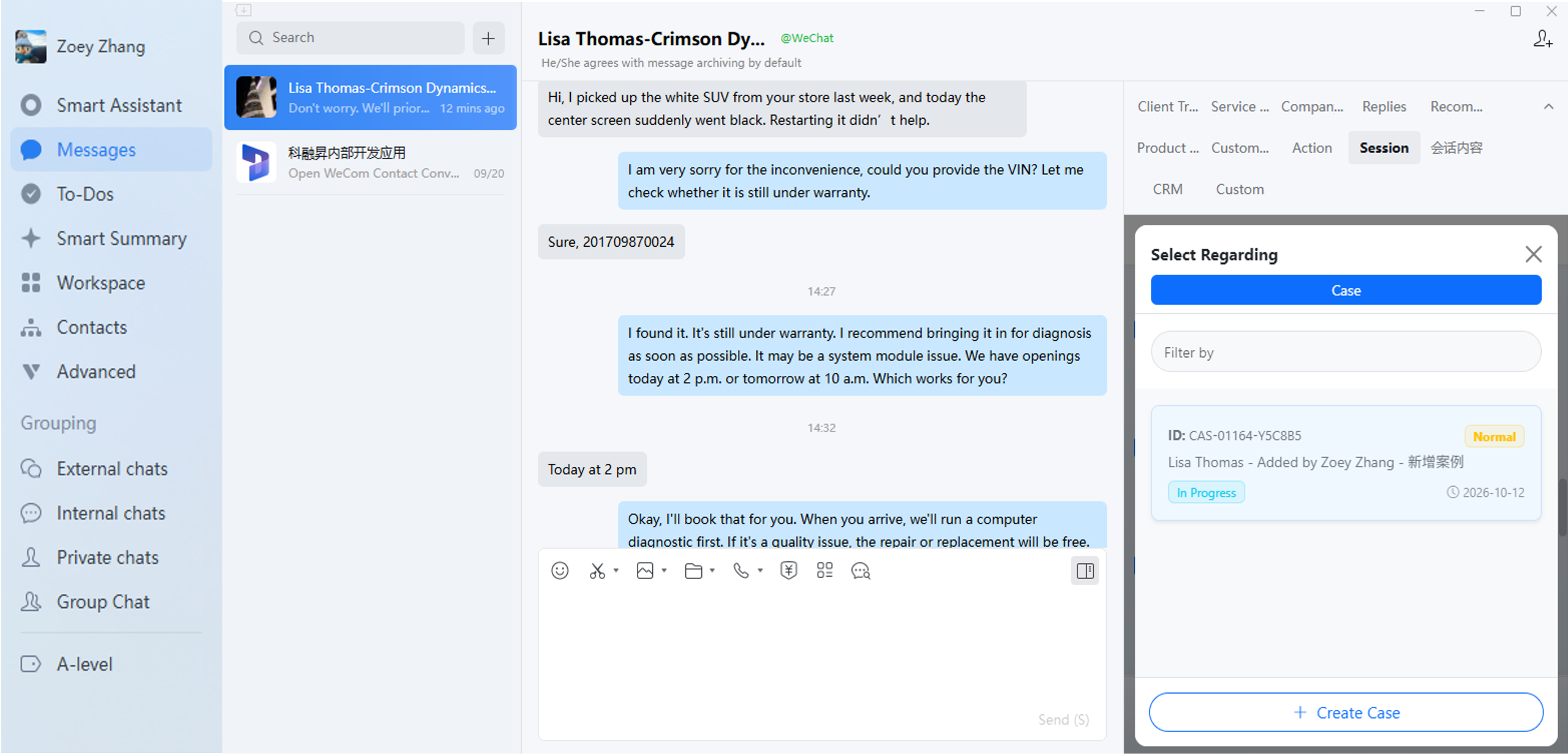
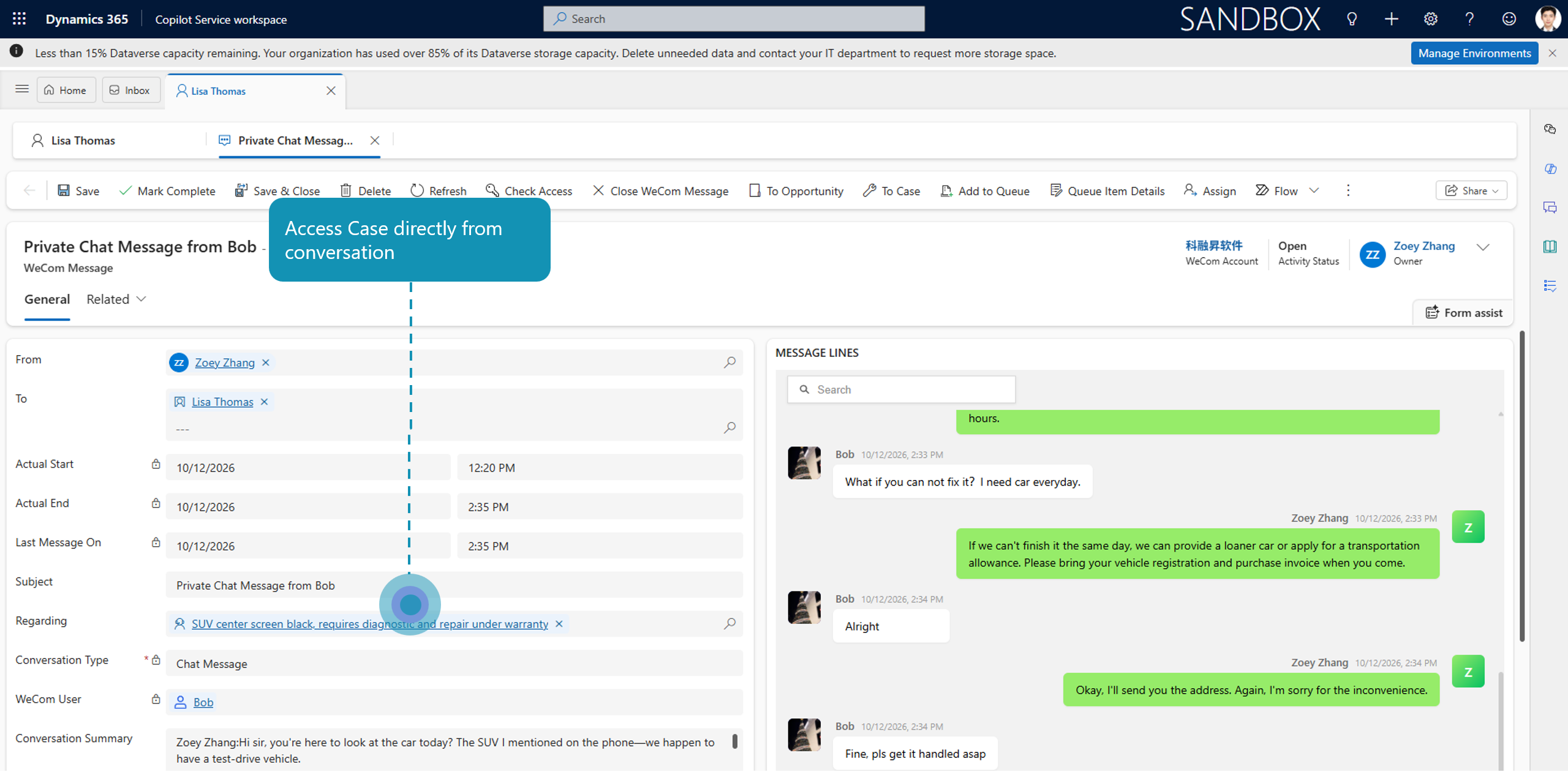
Help service teams associate customer communication with contact and case records, improving context for resolution and follow-up.
Where configured, generate concise summaries of customer interactions to support lead notes, follow-up and continuity across teams.
Support optional WeCom Moments campaigns and customer engagement workflows, including follow-up actions within Dynamics 365.
Give your team the relationship history and customer context they need without making them abandon the WeCom desktop or mobile app.
Help everyone understand the customer, from a first inquiry through a long-term account relationship.
Capture new relationships and qualify leads using real customer interaction context.
Keep customer knowledge accessible across relationship owners and handovers.
Connect questions and interactions with contact and case records for better continuity.
Improve visibility into customer engagement and make better use of Dynamics 365 data.
The connector links WeCom to your organisation's Microsoft Dynamics 365 / Dataverse environment while respecting the deployment and privacy requirements relevant to your business.
Crimson Dynamics can support your team through the configuration of the WeCom integration, contacts, conversation archiving and CRM workflows.
A few practical details about integrating WeCom with Dynamics 365.
Salespeople can continue their one-to-one conversations using the WeCom desktop or mobile app. The connector makes supported contact and conversation information available within Dynamics 365.
It is required when you want to synchronise eligible private conversations into Dynamics 365. The Tencent WeCom Message Archiving subscription is separate, and the configuration must meet applicable authorisation and privacy requirements.
Yes. External WeCom contacts can be synchronised and linked to Dynamics 365 contacts or leads, including supported remarks and tags.
Synchronised business data is maintained in the customer's Dynamics 365 / Dataverse environment. Middleware deployment is customer-specific and is designed to relay data rather than retain a separate provider database.
No. The WeCom Connector focuses on ongoing one-to-one customer relationships and CRM integration. The WeChat Contact Center Connector focuses on service-channel conversations and the Dynamics 365 Contact Center agent experience.
Crimson Dynamics offers user-based connector subscriptions with a minimum internal-user quantity. Standard subscription scope includes an allowance for configuration and setup; additional bespoke work can be quoted separately. Ask for the latest commercial proposal.
Explore the connector with Crimson Dynamics and see how it fits your sales and service processes.