WeChat channel integration
Connect your WeChat Mini Program, WeChat Official Account or WeCom Customer Service channel so customers can initiate conversations from WeChat.
Connect WeChat Mini Programs, WeChat Official Accounts or WeCom Customer Service with Microsoft Dynamics 365 Contact Center. Give customers a familiar way to reach you and agents one place to manage conversations.
Built for service teams using Microsoft Dynamics 365 and WeChat channels.
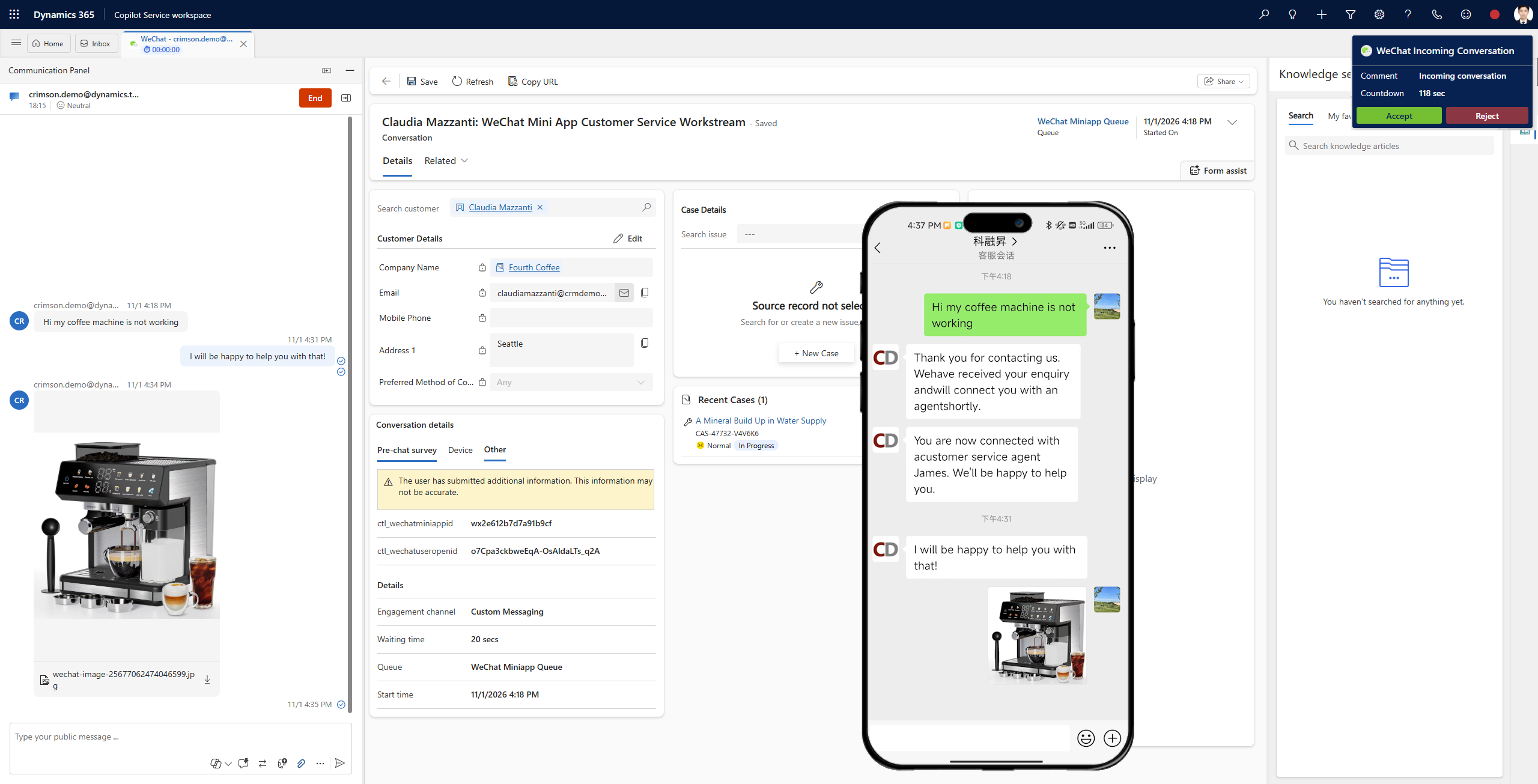
Customer service from your mini app.
Conversations through your official presence.
Service conversations via WeCom.
When WeChat service sits apart from your CRM and contact centre, agents have to piece together conversations and customer context across systems.
Crimson's connector brings supported WeChat service interactions into the Dynamics 365 Contact Center environment, where teams can work with existing service processes.
Extend the Microsoft customer service environment you already use to the channels your customers prefer.
Connect your WeChat Mini Program, WeChat Official Account or WeCom Customer Service channel so customers can initiate conversations from WeChat.
Manage incoming WeChat conversations in Dynamics 365 Contact Center alongside other supported digital interactions.
Use Dynamics 365 Contact Center routing capabilities to direct incoming service conversations to the right queues and agents.
Connect WeChat interactions with Microsoft Dataverse and Dynamics 365 records so agents can see relevant customer information and service history.
Use your existing customer service workflows and case management as a foundation for WeChat engagement.
Keep customer conversations close to the records, cases and operational views your service team uses every day.
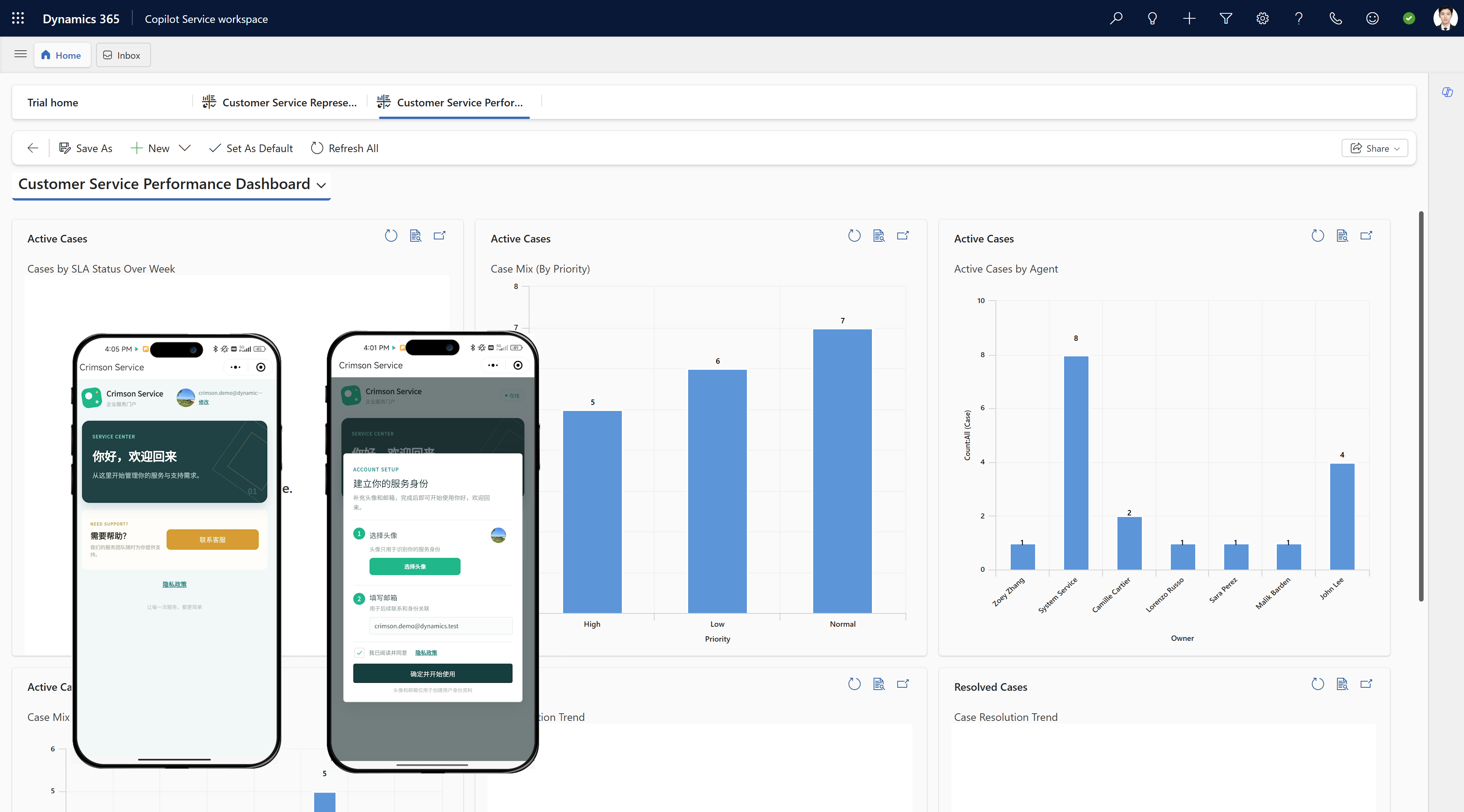
Bring a familiar customer channel into your established Microsoft service operations.
Handle WeChat enquiries from a centralised contact centre workspace.
Offer customers a convenient channel while supporting a more consistent service journey.
Extend existing Dynamics 365 customer service processes to WeChat interactions.
Connect a widely used customer channel with enterprise CRM and contact centre operations.
We can review your channels, Dynamics 365 environment and service workflow in a demo.
The solution supports WeChat Mini Programs (Mini Apps), WeChat Official Accounts and WeCom Customer Service. Your exact configuration depends on the channels and service scenario you use.
Agents can handle incoming WeChat service conversations within the Microsoft Dynamics 365 Contact Center environment.
Yes. The connector integrates with Dynamics 365 Contact Center routing capabilities so incoming conversations can be directed to appropriate queues and agents.
WeChat interactions can be connected with Microsoft Dataverse and Dynamics 365 customer records, giving agents access to relevant context while they work.
Talk with Crimson Dynamics about your WeChat channels, routing needs and Dynamics 365 environment.